Typing Software for Govt Exams : Hindi, English & Marathi (Typing Bhi - Learning Bhi)
TypingWale ek government-exam typing practice platform hai — typing tutor nahi. Har passage real exam content se aata hai (syllabus-wise, PYQ, daily current affairs), aur har result exam ki exact evaluation formula se banta hai. Windows app download karo, Android app lo, ya turant browser me practice shuru karo — teeno me aapka progress saath chalta hai.


TypingWale kya hai — “Learn While You Type”
TypingWale ka core idea simple hai: typing speed banao aur usi session me apna syllabus bhi cover karo. Isiliye ye typing tutor se alag hai — ye ek exam-preparation platform hai jiska base “Learn While You Type” approach hai.
Har practice passage real exam content se draw hota hai — syllabus-wise aur chapter-wise passages, daily current affairs, previous year question (PYQ) passages, daily GK, computer awareness chapters, aur Hindi & English grammar. Matlab jab aap typing practice karte ho, aap saath-saath apna exam syllabus bhi revise kar rahe ho — do kaam ek hi baithak me.
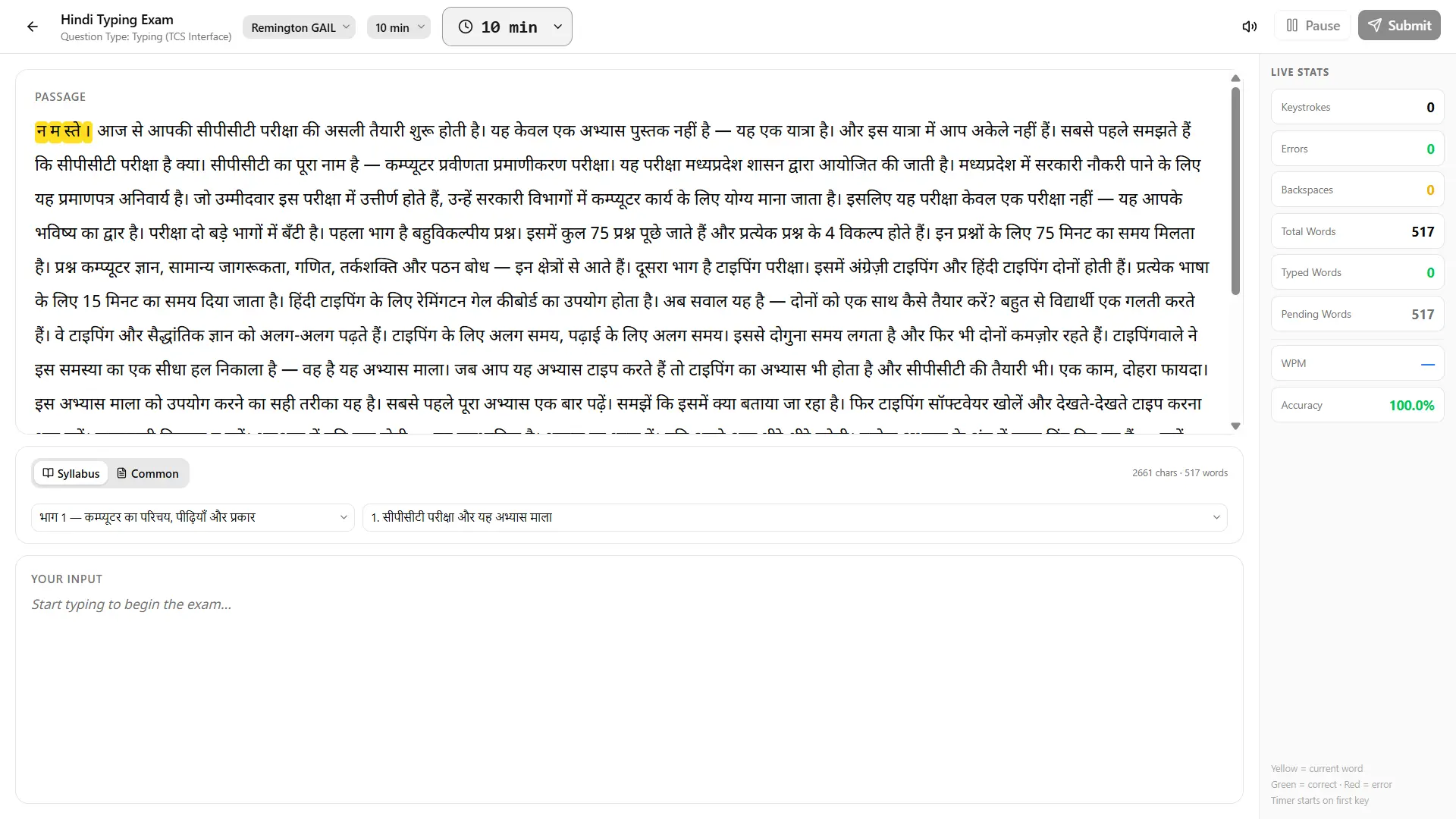
Har result us exam ki exact evaluation formula se calculate hota hai jiske liye aap taiyari kar rahe ho — including category-wise cutoffs for UR, OBC, SC, ST, EWS aur PwBD candidates. Aur typing interfaces real exam screen se match karke replicate ki gayi hain — TCS iON, NTA aur doosri examination-body interfaces — jahan official notification me documented hai wahan verify karke, aur jahan public documentation nahi hai wahan exam de chuke candidates se cross-check karke.
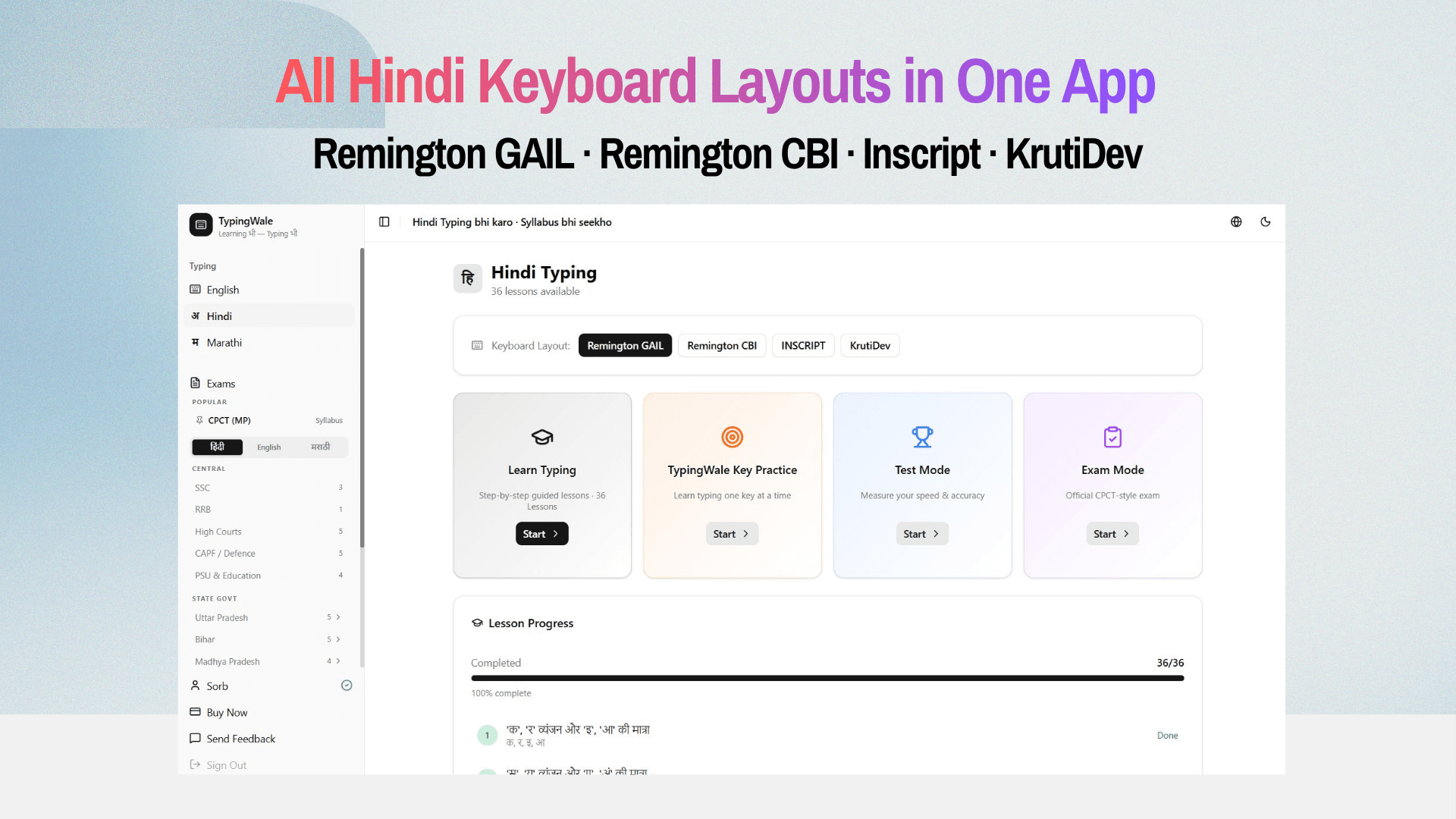
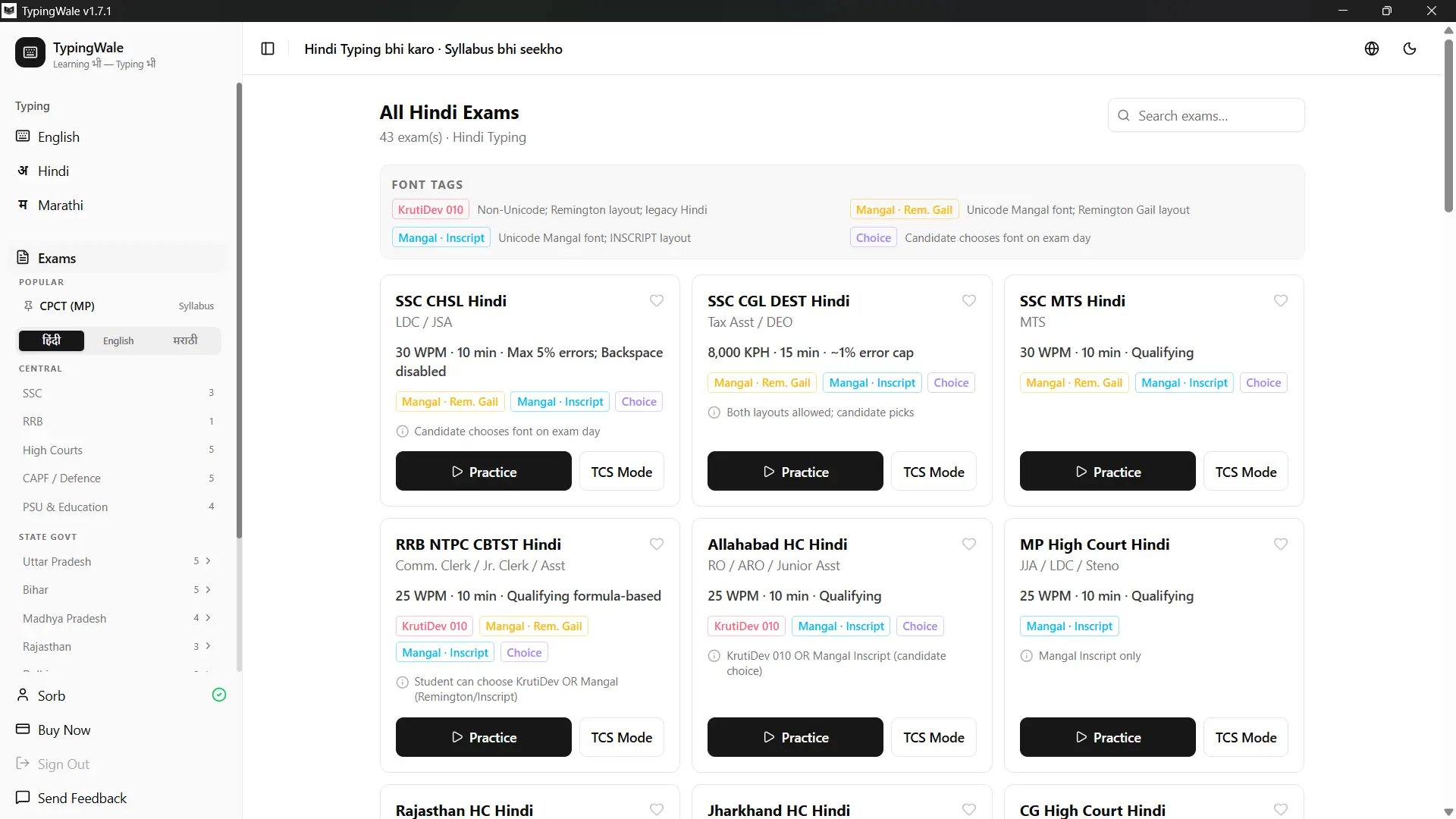
Coverage: Hindi, Marathi aur English typing across every major keyboard layout — KrutiDev, Mangal Inscript, Remington GAIL aur more — 36+ Indian government exams ke liye, including SSC, RRB, Rajasthan (RSMSSB, Rajasthan High Court), Madhya Pradesh (CPCT, MP High Court), DSSSB, aur state-level recruitment + court exams across India. Available as a website, Android app aur Windows application.
Ek line me: general typing software se speed badhti hai. TypingWale isliye banaya gaya hai ki aap jo speed banao wo aapke exam ke exact font, interface aur scoring pe bane — taaki practice exam hall me transfer ho.
TypingWale ke features
Har feature exam-day ko dhyaan me rakh ke banaya gaya hai:
Exact exam interface
TCS iON / NTA aur doosri body-specific screens replicate ki gayi hain, taaki test wale din koi surprise na ho.
Syllabus + PYQ + daily current affairs passages
Random text nahi; jo type karo wahi aapke syllabus ka part ho.
Exam evaluation formula + category cutoffs
Net WPM, full/half mistakes, aur UR/OBC/SC/ST/EWS/PwBD cutoffs ke against apna result.
Live Test (daily)
Roz live test do, apna rank dekho aur doosron se compare karo.
Practice your mistakes
Test ke baad sirf apni galat words/keys pe dobara focused practice — improvement wahin hoti hai jahan kamzori hai.
Hidden typing area
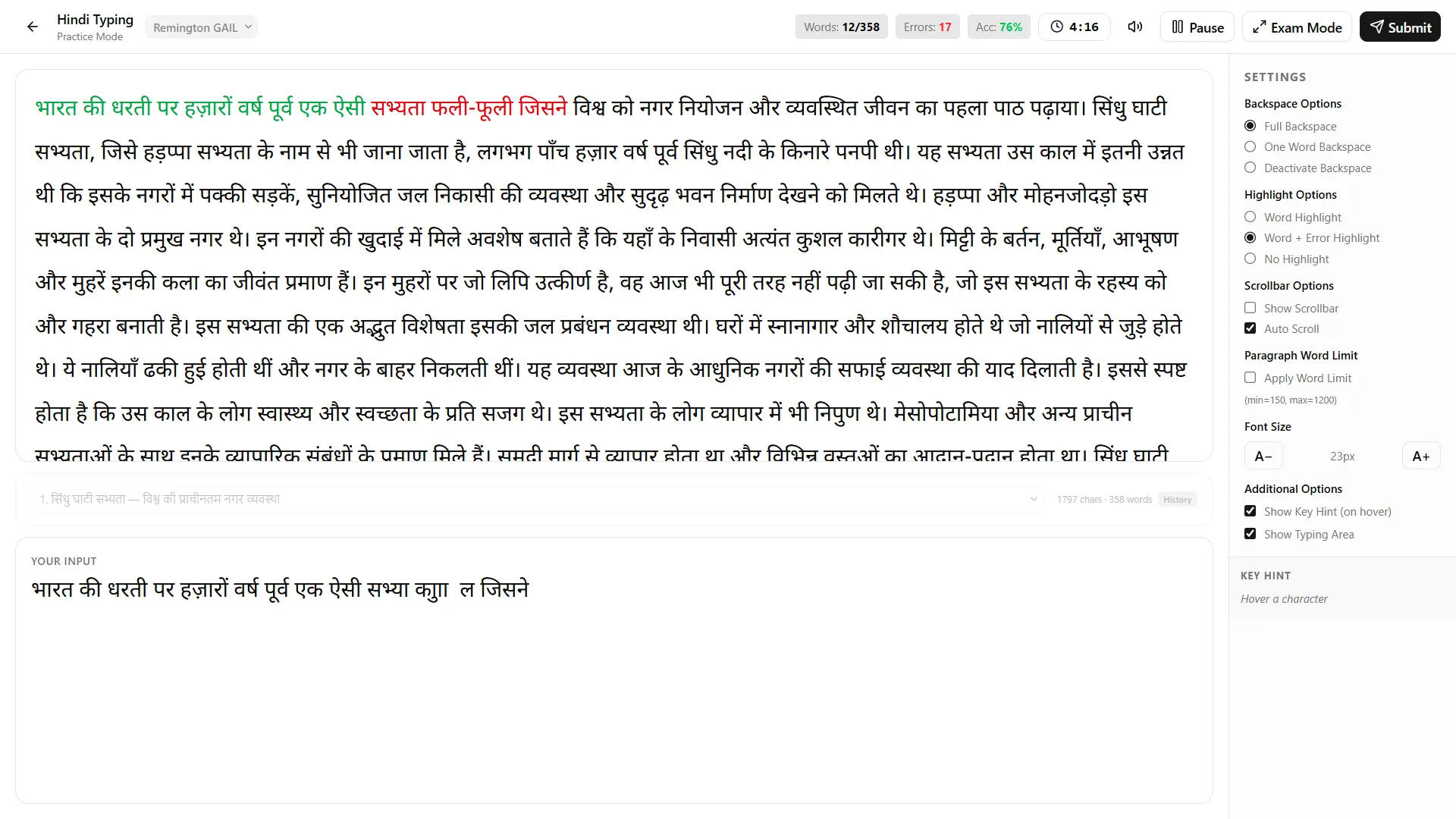
Exam jaisa mode jahan aapko preview bina type karna hota hai — real pressure ki aadat padti hai.
Night Mode
Kam roshni me aankhon pe zor kam, lambi practice comfortable.
Hint Mode
Seekhte waqt on-screen key/finger hints; confidence banne par off kar do.
All layouts
KrutiDev, Mangal Inscript, Remington GAIL/CBI (Hindi), KrutiDev 055 (Marathi), QWERTY (English) — ek hi jagah.
Works offline
Windows app internet ke bina chalta hai; download aur activation ke baad data kharch nahi.
Android app
Phone pe practice, physical keyboard attach karke exam-style speed building.
Modern aur fast
Naya React/Next.js web stack, mobile-first, Jio 4G pe bhi tez load.
Instant activation after purchase
Payment ke turant baad access; koi wait nahi.
One Platform. Every Device.
Chahe Windows PC ho, Android phone ho ya web browser — TypingWale har jagah available hai. Offline practice ke liye Windows software download karein, mobile par Android app use karein, ya website par instantly practice shuru karein. Aapki WPM, accuracy, lessons aur progress har platform par ek hi account mein synced rehti hai.
System requirements
Windows app
- Windows 10 / 11 (32-bit ya 64-bit)
- ~100 MB free space
- Physical keyboard recommended
- Internet sirf pehli baar download ke liye — uske baad offline
Android app
- Android 8.0+
- Best experience physical/OTG keyboard ke saath
Web (no install)
- Koi bhi modern browser (Chrome, Edge, Firefox)
- Windows, Mac ya Android pe
Pricing — simple subscription, instant activation
| Plan | Price | Best for |
|---|---|---|
| 1 month | ₹99 | Ek exam nazdeek hai, quick prep |
| 3 months | ₹149 | Regular practice, ek season |
| 6 months | ₹249 | Multiple exams, best value |
7 Day Free trial (Limited time) — bina risk try karo. Payment ke baad instant activation (UPI/cards).
TypingWale vs doosre typing software — genuine comparison
Neeche factual comparison hai — har product ki apni strength hai, aur aapke exam/need ke hisaab se choice alag ho sakti hai. (Comparison har product ki official site aur public listings se compile kiya gaya hai, 05 July 2026 tak. Features aur prices change hote rehte hain — decide karne se pehle vendor ki official site pe verify karo. Saare product names aur trademarks apne respective owners ke hain; ye comparison sirf informational hai.)
| Feature | TypingWale | Generic Typing Software | TypingMaster | Sonma Typing Expert | JR Typing Tutor |
|---|---|---|---|---|---|
| Platforms | Windows + Android + Web | Windows + Android | Windows | Windows | Windows |
| Languages | Hindi, Marathi, English | Hindi, English, Marathi, Punjabi | English (intl QWERTY) | Hindi, English | Hindi, English, Marathi, Punjabi |
| Hindi layouts | KrutiDev, Mangal Inscript, Remington GAIL/CBI | KrutiDev/DevLys, Mangal (GAIL, Inscript, CBI) | — (no Devanagari) | DevLys/KrutiDev (legacy) | KrutiDev/DevLys, Mangal (Inscript, GAIL, CBI, Akruti) |
| Exact exam-interface replica (TCS iON/NTA) | Yes | Exam-labelled practice | No | No | Exam-rule modes (e.g. RPSC LDC), not full UI |
| Passage source | Syllabus, PYQ, daily current affairs, GK, grammar | Bundled exercises/tests | Generic English text | Generic lessons | Exercises + custom load |
| Evaluation formula + category cutoffs (UR/OBC/SC/ST/EWS/PwBD) | Yes | Limited exam only | Speed/accuracy calc | Basic stats | Speed/accuracy + exam rules |
| Daily live test + rank | Yes | Yes | No | No | No |
| Practice-your-mistakes | Yes (targeted) | Error feedback | Problem-key drills (English) | Basic | Error tracking |
| Night / Hint mode | Yes / Yes | No | No | No | No |
| Works offline | Yes (Windows) | Yes | Yes | Yes | Yes |
| Pricing model | Subscription ₹99–₹249 | English free, Hindi paid tiers ₹299–₹799 | Free trial + paid premium | Free | ~₹423/mo |
| UI generation | Modern (React/Next, mobile-first) | Desktop-era + app | Desktop-era | Legacy | Desktop-era |
TypingWale ka distinct edge: teeno platform (web + Android + Windows) ek saath, exam-exact interface replica, syllabus/PYQ/daily current affairs passages, aur category-wise cutoffs — ek modern, mobile-first UI me. Yani speed aur syllabus dono ek session me, us screen aur scoring pe jo aapke exam me actually aayegi.
Languages aur layouts covered
Har layout ke liye web pe alag practice page hai — jaise Remington GAIL Hindi typing test ya Mangal Inscript test — install ke bina turant try karne ke liye.
Kaunse exams cover hote hain?
36+ Indian government exams — SSC (CGL DEST, CHSL), RRB NTPC, MP CPCT, MP High Court, Rajasthan RSMSSB LDC, Rajasthan High Court, DSSSB, UPSSSC, aur kai state recruitment + court exams. Har exam ka apna font, interface aur scoring TypingWale me pre-set hai. Web pe practice shuru karne ke liye Hindi typing test hub se apna layout choose karo; layout zero se seekhna ho to Hindi typing lessons se.
Windows app download aur install kaise kare
Pehli baar setup 2 minute ka kaam hai:
Upar "Download for Windows" button pe click karo — Microsoft Store khulega (v1.5.1).
Store me Install pe click karo — installation automatic hai, koi setup file manually run nahi karni.
Install hone ke baad TypingWale kholo aur apni language + layout choose karo (Hindi / Marathi / English).
Purchase kiya hai to plan activate karo — payment ke baad instant activation. Free trial bhi app ke andar se start kar sakte ho.
Apna exam select karo aur exact interface pe practice shuru — internet ki zaroorat nahi.
Android app kaise use kare
Play Store se TypingWale app install karo, same account se login karo, aur phone pe practice karo. Behtar exam-style speed ke liye ek physical/OTG keyboard attach karo — mobile keypad exam jaisa feel nahi deta. Aapka web aur Windows progress yahan bhi sync rehta hai.

Exam-exact kyun matter karta hai?
Bahut se students ghante practice karte hain aur phir bhi exam hall me speed gir jaati hai — kyunki practice tool ka font, interface ya scoring exam se match nahi karta. Do common galtiyan:
Galat layout pe practice
Agar aapka exam Remington GAIL maangta hai aur aap Inscript pe practice karte ho, exam day pe speed lagbhag zero ho sakti hai — key positions poori tarah alag hain.
Gross speed ka bharam
Kai tools gross WPM dikhate hain; exam net WPM leta hai (full/half mistakes minus). TypingWale wahi net formula + category cutoff dikhata hai jo aapke exam me lagta hai.
Isiliye TypingWale interface ko TCS iON / NTA jaisi real screens se replicate karta hai, aur scoring ko exam ki exact evaluation se — taaki aapki practice number sach me exam-transferable ho, sirf motivational na ho.
Ye kiske liye hai?
TypingWale un students ke liye banaya gaya hai jo CPCT, SSC, RRB, UPSSSC, court aur state-level typing tests ki taiyari kar rahe hain — khaaskar wo jo Hindi-medium se aate hain, jinke paas computer access limited hai, aur jo pehle typing test me atak chuke hain. Budget-friendly subscription (₹99 se), phone pe Android app, offline Windows practice, aur exam-exact interface — sab isliye ki taiyari real ho, mehngi ya complicated na ho.
Screenshots
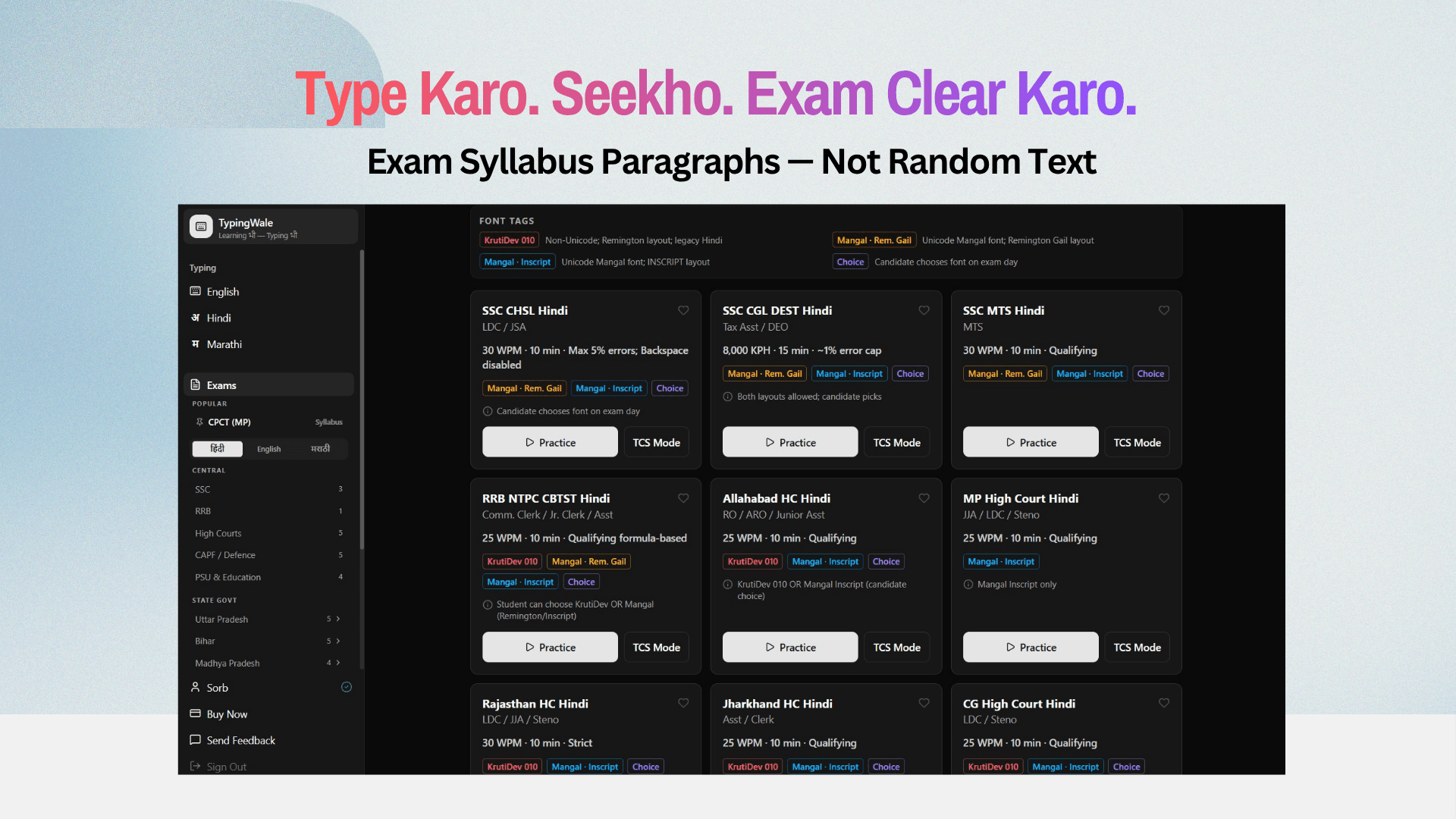
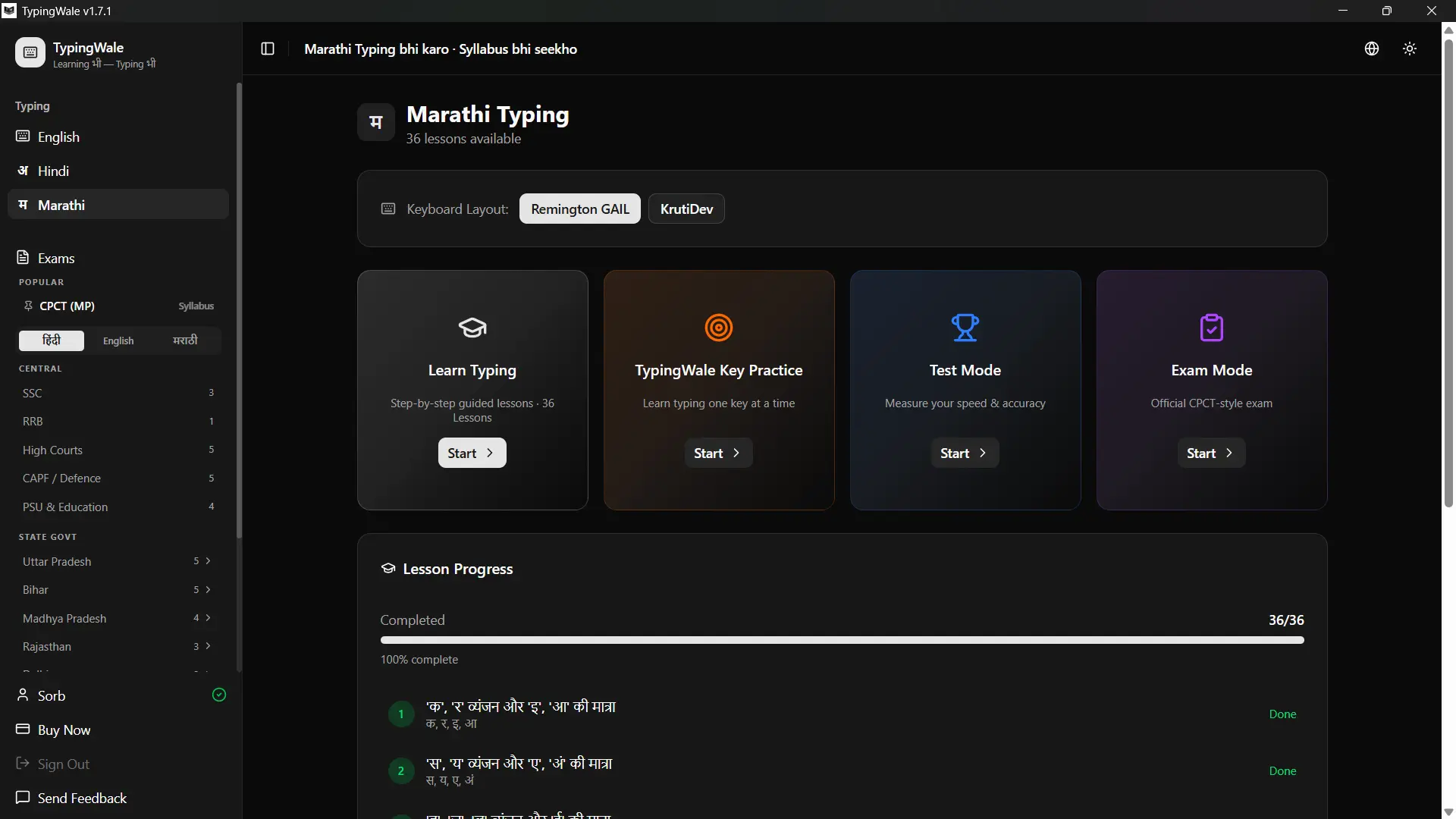
Package me kya-kya milta hai
- 36+ exam-specific practice modes (exact interface)
- Syllabus-wise, PYQ aur daily current-affairs passages
- 36 structured Hindi lessons (beginner → exam-ready) — all layouts
- Daily live test + all-India rank
- Mistake-practice, Night Mode, Hint Mode, Hidden typing area
- Hindi + Marathi + English, all major layouts
- Windows (offline) + Android + Web access
- Instant activation, regular content updates
Download & app — Common Questions
Kaun-kaun se platforms pe milta hai?
Windows app (offline), Android app, aur web (bina install). Progress teeno me saath chalta hai.
Kya offline chalta hai?
Haan, Windows app download aur activation ke baad internet ke bina chalta hai.
Kaunsi languages aur layouts support hain?
Hindi (Remington GAIL/CBI, Mangal Inscript, KrutiDev), Marathi (Remington, Mangal Inscript, KrutiDev 055), English (QWERTY).
Generic typing software ya TypingMaster se kaise alag hai?
TypingMaster mainly English touch typing hai; generic typing software sirf offline speed practice deta hai. TypingWale exam-prep platform hai — exam-exact interface, syllabus/PYQ/current-affairs passages, category cutoffs, aur web+Android+Windows ek saath. (Upar detailed comparison table.)
Purchase ke baad kitni der me activate hota hai?
Turant — payment ke baad instant activation, koi wait nahi.
Kya free trial milta hai?
Haan — 7 day free trial (limited time) app ke andar available hai, bina payment ke try karo. Trial ke baad plans ₹99 (1 month) se shuru hote hain.
Pehle web pe try karna chahte ho?
Bina install kiye browser me hi typing test do — phir jab exam-level practice chahiye, Windows app download karo.